$44.91
$56.59
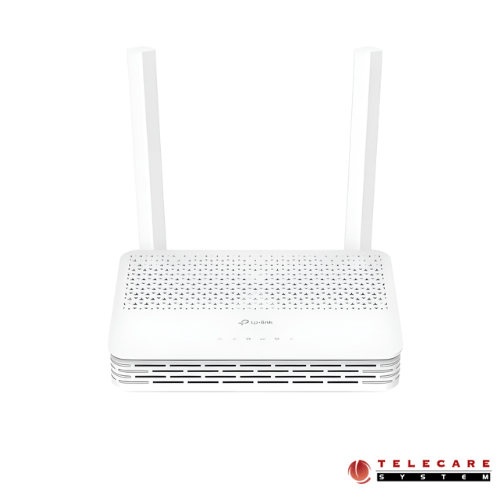
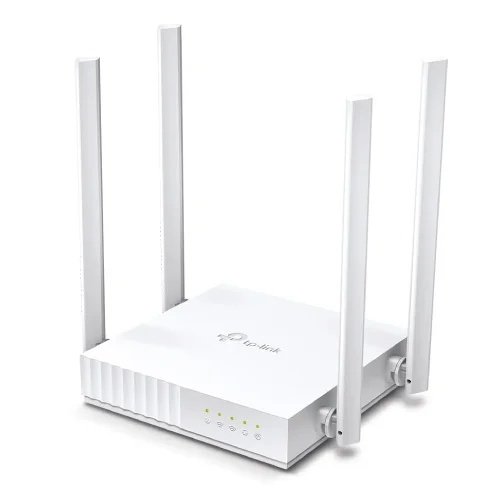
Description If you’re searching for a reliable fiber optic router that delivers exceptional speed and coverage for your home or small office, the TP-Link XC220-G3 AC1200 Wireless XPON Router deserves your attention. This comprehensive guide explores everything you need to know about this powerful networking device, helping you make an informed purchasing decision. What is the TP-Link XC220-G3 AC1200 Router? The TP-Link XC220-G3 is a dual-band wireless XPON router specifically designed for fiber-to-the-home (FTTH) connections. This advanced networking device combines GPON and EPON technologies, making it a versatile solution for various fiber optic internet service providers. With AC1200 wireless capabilities, it delivers combined speeds of up to 1200 Mbps across both frequency bands, ensuring smooth streaming, gaming, and browsing experiences. Key Technical Specifications Explained Wireless Performance: Dual-Band AC1200 Technology The router operates on both 2.4 GHz and 5 GHz frequencies, providing flexibility and reduced interference. The 2.4 GHz band offers excellent range and penetration through walls, making it ideal for basic browsing and smart home devices. Meanwhile, the 5 GHz band delivers faster speeds perfect for bandwidth-intensive activities like 4K streaming, online gaming, and video conferencing. XPON Technology: Understanding GPON and EPON One of the standout features of the XC220-G3 is its XPON capability. But what does this mean for you? GPON (Gigabit Passive Optical Network) support enables downstream speeds of up to 2.488 Gbps and upstream speeds of 1.244 Gbps. This asymmetric speed configuration is perfect for typical home internet usage where you download more content than you upload. EPON (Ethernet Passive Optical Network) compatibility provides 1.25 Gbps for both downstream and upstream traffic, offering symmetric speeds that benefit users who frequently upload large files or host servers. This dual-mode compatibility ensures the router works seamlessly with most fiber internet service providers worldwide, eliminating compatibility concerns. Connectivity Options and Ports LAN Ports for Wired Connections The TP-Link XC220-G3 features 2 Gigabit Ethernet LAN ports (10/100/1000 Mbps), allowing you to connect wired devices like desktop computers, gaming consoles, smart TVs, or NAS devices. Gigabit speeds ensure that your wired connections won’t create bottlenecks, delivering the full potential of your fiber internet connection. PON Port for Fiber Connection The dedicated PON port connects directly to your fiber optic line from your ISP, eliminating the need for a separate ONT (Optical Network Terminal) in many cases. This integrated design reduces cable clutter and simplifies your home network setup. Who Should Buy the TP-Link XC220-G3? Ideal for Fiber Internet Subscribers If your internet service provider offers fiber optic connectivity using GPON or EPON technology, this router is specifically built for your needs. It’s particularly suitable for: Homes with multiple devices: The AC1200 wireless standard comfortably handles 15-20 connected devices simultaneously Streaming enthusiasts: Dual-band technology ensures buffer-free 4K streaming on multiple devices Remote workers: Reliable connectivity and good upstream speeds support video calls and cloud uploads Small offices: The professional-grade fiber connection and multiple LAN ports serve small business needs effectively Budget-Conscious Buyers The XC220-G3 offers exceptional value by combining an ONT and wireless router in a single device. This integration saves you money compared to purchasing these components separately while reducing power consumption and setup complexity. Performance Benefits You Can Expect Lightning-Fast Internet Speeds With GPON downstream speeds reaching 2.488 Gbps, this router is future-proofed for even the fastest residential fiber plans available today. While the AC1200 wireless standard limits wireless speeds to 1200 Mbps combined, this is still more than sufficient for most household needs. For maximum performance, connect bandwidth-hungry devices via the Gigabit LAN ports. Reduced Latency for Gaming Fiber optic connections inherently provide lower latency compared to cable or DSL. The XC220-G3’s efficient processing ensures minimal additional latency, making it an excellent choice for competitive online gaming where every millisecond counts. Extended Wireless Coverage The dual-band configuration with optimized antenna design provides solid wireless coverage for medium to large homes. The 2.4 GHz band extends your network’s reach to distant rooms, while the 5 GHz band delivers high speeds in the same room or nearby areas. Installation and Setup Process Setting up the TP-Link XC220-G3 is straightforward, even for non-technical users. Your internet service provider typically configures the router with your account credentials before delivery or provides simple instructions for initial setup. The web-based management interface allows you to customize wireless network names, passwords, and security settings within minutes. Most users can complete installation by connecting the fiber cable to the PON port, powering on the device, and connecting their devices wirelessly or via Ethernet cables—no technical expertise required. Comparing with Other Router Options Versus Separate ONT and Router Systems Traditional fiber setups require two devices: an ONT to convert optical signals and a separate wireless router. The XC220-G3 combines both functions, offering these advantages: Cost savings: One device instead of two Reduced power consumption: Single power adapter Less cable clutter: Simplified setup Smaller footprint: Takes up less space Versus Higher-End AC1750 or AC1900 Routers While routers with AC1750 or AC1900 specifications offer faster wireless speeds, the XC220-G3 provides the essential XPON functionality specifically required for fiber connections. For most users, AC1200 speeds are perfectly adequate, making the XC220-G3 an excellent balance of performance and value. Read More Maximizing Your Router’s Performance To get the best experience from your TP-Link XC220-G3: Position strategically: Place the router centrally and elevated for optimal wireless coverage Use 5 GHz for nearby devices: Connect smartphones, laptops, and tablets in the same room to 5 GHz for faster speeds Reserve 2.4 GHz for distance and compatibility: Use this band for devices farther away or older devices that don’t support 5 GHz Connect stationary devices via Ethernet: Use the Gigabit LAN ports for gaming consoles, smart TVs, and desktop computers Keep firmware updated: Regular updates ensure security and performance improvements TP-Link XC220-G3 Specifications HARDWARE FEATURES Interface 2 10/100/1000 Mbps RJ45 LAN Ports 1 PON Port Button WPS/Wi-Fi Button, RESET Button External Power Supply 12V/1.0A Data Rates Downstream Speeds: 2.488 Gbps (GPON), 1.25 Gbps (EPON) Upstream Speeds: 1.244 Gbps (GPON), 1.25 Gbps (EPON)§ Antenna 2 External Dual Band Antennas WIRELESS FEATURES Wireless Standards IEEE 802.11ac/n/a 5 GHz, IEEE 802.11b/g/n 2.4 GHz Frequency 2.4 GHz and 5 GHz Signal Rate 867 Mbps on 5 GHz, 300 Mbps on 2.4 GHz Wireless Functions Enable/Disable Wireless Radio, WDS Bridge, WMM, Wireless Statistics Wireless Security WPA/WPA2/WPA3 encryptions Transmission Power 2.4 GHz: 26 dBm(EIRP), 5GHz: 28dBm (EIRP) Wireless Schedule Support 2.4 GHz and 5 GHz Wireless Schedule Mesh Technology EasyMesh Compatible, and support 802.11k/v/r SOFTWARE FEATURES Quality of Service Hardware QoS Advanced Features Parental Controls, Network Address Translation(NAT), Port Mapping(Grouping), Static Routing, DNS Relay, DDNS, IGMP V1/V2/V3 Security NAT Firewall, Access Control, MAC/IP/URL Filtering, IP and MAC Address Binding, Defense “Denial of Service (DoS), SYNFlooding, Ping of Death” Management Features Local management: WebGUI management, Aginet app management Remote management: Aginet ACS, OMCI, TR-069, TR-098, TR-181,TR-111,TR-143 Cloud management: TP-Link Aginet Unified Cloud (TAUC) DHCP Server, Client, DHCP Client List, Address Reservation, DHCP Relay Port Forwarding Virtual Server, Port Triggering, DMZ, ALG, UPnP Dynamic DNS DynDns, NO-IP VPN Pass-Through PPTP, L2TP, IPSec Pass-through Protocols IPv4, IPv6 OTHERS Package Content AC1200 Wireless XPON Router XC220-G3 RJ45 Ethernet Cable Power Adapter Quick Installation Guide System Requirements Microsoft Windows 98SE/NT/2000/XP/Vista™/7/8/8.1/10, MAC OS, NetWare, UNIX or Linux Internet Explorer 11, Firefox 12.0, Chrome 20.0, Safari 4.0, or other Java-enabled browser Subscription with an internet service provider (for internet access) Environment Operating Temperature: 0℃–40℃ (32℉–104℉) Storage Temperature: -40℃–60℃ (-40℉–140℉) Operating Humidity: 10%–90% non-condensing Storage Humidity: 5%–90% non-condensing TP-Link XC220-G3 AC1200 Wireless XPON Router represents an excellent choice for fiber internet subscribers seeking a reliable, affordable, and feature-complete networking solution. Its GPON and EPON compatibility ensures broad ISP support, while the AC1200 dual-band wireless provides sufficient speed for most households. The integrated design eliminates the need for separate ONT hardware, simplifying your setup and reducing costs. With Gigabit LAN ports and impressive fiber optic speeds, this router future-proofs your home network for years to come. Whether you’re upgrading to fiber internet for the first time or replacing an existing fiber router, the TP-Link XC220-G3 delivers professional-grade performance at a consumer-friendly price point, making it a smart investment for modern connected homes. TP-Link Archer AX53 Dual Band Gigabit Wi-Fi Router
Router